
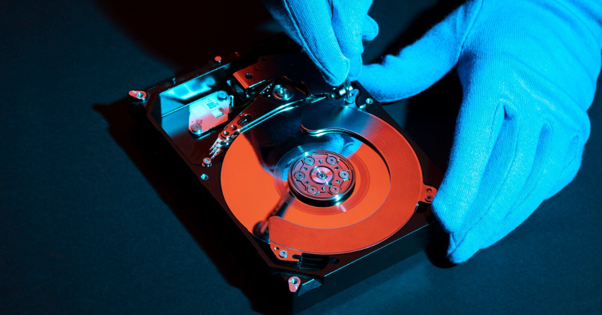
Yes, we can sometimes recover data from a hard disk, even when files have been deleted, become inaccessible, or the drive has suffered damage. The chances of recovery depend on what caused the data loss, the condition of the drive, and whether new data has overwritten the missing files. When important files are at stake, we recommend stopping use of the drive and getting professional help before trying random recovery methods.
Losing data can happen in an instant. A hard drive may suddenly stop working, an important folder may disappear, or a computer may refuse to open files that worked perfectly the day before. For many people, those files contain years of photos, business records, financial documents, or personal information. That is why knowing the right steps matters. With the right approach, hard disk data recovery services can help determine whether lost information can still be retrieved and how to handle the affected drive safely.
Table of Contents
1. What Causes Data Loss on a Hard Disk?
2. What Should You Do Before Recovering Data From a Hard Disk?
3. How Does Hard Disk Data Recovery Work?
4. When Should You Consider Professional Hard Disk Data Recovery Services?
5. How Can You Protect Your Data After Recovery?
6. Frequently Asked Questions
What Causes Data Loss on a Hard Disk?
A hard disk can lose access to data for many different reasons. Accidental deletion is one of the most common. Someone may delete a folder without realizing that it contains important files. A formatted drive, corrupted file system, failed operating system, or software problem can also make files difficult to access. Physical problems can be more serious. Traditional hard disk drives contain moving components, so a mechanical failure can prevent the computer from reading the stored information. Drops, impact, overheating, electrical problems, and normal hardware wear can also contribute to drive failure.
Sometimes the drive is still visible on the computer, but certain folders or files will not open. In other cases, the computer may not recognize the drive at all. The cause matters because different types of data loss require different approaches. Recovering a recently deleted document is not the same as dealing with a drive that has suffered physical damage.
We always recommend paying attention to warning signs. Strange noises, repeated error messages, extremely slow performance, disappearing files, or a drive that frequently disconnects can all be reasons to stop and seek assistance.
What Should You Do Before Recovering Data From a Hard Disk?
The first thing we recommend is simple: stop using the affected drive as much as possible. If files have been accidentally deleted, continuing to save new information to the same drive can potentially overwrite the space where the deleted data remains. Once that happens, recovery may become more difficult or impossible. Avoid formatting the drive just because the computer asks you to do so. Also avoid repeatedly running repair utilities when you are not sure what is wrong. If the drive has physical damage, unnecessary use can place additional stress on the hardware.
You should also avoid installing recovery software directly onto the drive containing the lost files. If you decide to use recovery software, choosing the wrong method or writing recovered files back to the same drive can create additional problems. Instead, make a note of what happened. Think about when the files disappeared, whether the computer displayed an error, and whether the drive was dropped or otherwise damaged. This information can help us understand the situation before any recovery work begins.
If the missing files are valuable, professional hard disk data recovery services can provide a more careful way to assess the problem. We can determine what happened and discuss the available options before moving forward.
How Does Hard Disk Data Recovery Work?
So, what is hard disk data recovery? In simple terms, it is the process of attempting to retrieve information that can no longer be accessed normally from a hard disk. The process starts with an assessment. We need to understand whether the issue involves deleted files, corruption, software problems, hardware failure, or another cause. The condition of the drive can influence what recovery methods are appropriate.
If files were deleted recently, some information may still exist on the storage device until it is overwritten by new data. If the file system has become corrupted, the challenge may involve accessing information that the operating system can no longer organize correctly. A physically damaged drive presents another situation. If the drive has mechanical problems, repeatedly turning it on and attempting to access it may not be the right approach. The focus should be on protecting the remaining information and determining what recovery options are technically possible.
Recovered files should also be stored somewhere other than the original problem drive. This prevents the recovery process from unnecessarily writing new information over potentially recoverable data. There is no universal guarantee that every file can be recovered. Some drives have suffered damage that makes certain information permanently inaccessible. That is why an honest assessment is important.
When Should You Consider Professional Hard Disk Data Recovery Services?
Not every deleted file requires professional assistance. If you accidentally remove a document and have a current backup, restoring the backup may solve the problem quickly. The situation is different when there is no backup and the missing information is important. We recommend considering professional assistance when a hard drive is not recognized, files suddenly disappear, folders will not open, the computer repeatedly reports drive errors, or the drive appears to be failing.
Professional help is particularly important when the drive has experienced physical damage. A hard drive that has been dropped or is making unusual sounds should not be treated like a normal software problem. Our hard drive data recovery service in Las Vegas is intended for customers dealing with lost or deleted files, including situations involving damaged drives. Computer Medics was founded in 1999 and originally focused on providing in-home computer repair, giving us a long history of working directly with customers and their technology needs.
We also understand that data loss is not always about one missing document. A failed computer may contain family photographs, business information, tax documents, school files, passwords, or years of personal records. Before attempting anything that could change the condition of the drive, it is worth considering how valuable the information is and whether another copy exists.
How Can You Protect Your Data After Recovery?
Recovering important files is only part of the solution. Once your data is safe, we recommend creating a backup routine so you are better prepared if another storage problem occurs. A good backup strategy should not depend on one hard drive. If the original computer and its backup are stored in the same place, one hardware failure, theft, or other incident could affect both.
For important files, consider keeping copies in separate locations. An external backup drive can provide another copy of your information, while a reputable cloud backup service can offer an additional layer of protection. It is also important to check your backups. A backup that cannot be restored when you need it does not provide much protection. Take time to confirm that important files are actually being copied and can be opened.
We can also help with broader computer support, including computer maintenance and system optimization, as well as virus and malware removal. These services can help keep your systems running properly and address problems before they turn into larger technology issues. The best approach to data loss is preparation. But if a hard disk has already failed or important files have disappeared, acting carefully can help preserve whatever information may still be recoverable.
Frequently Asked Questions
How Do Data Recovery Services Work in Las Vegas?
Data recovery begins with an assessment of the affected drive and the type of data loss involved. The recovery approach depends on whether files were deleted, the file system was damaged, or the drive has a hardware problem. Professional assistance can help reduce the risk of further damage.
How Can You Get Data Recovery from a Hard Disk?
Start by stopping unnecessary use of the affected hard disk. Do not format the drive or save new files to it. If the information is important and you do not have another copy, contacting a professional data recovery provider can help determine what options are available.
What Is Hard Disk Data Recovery?
Hard disk data recovery is the process of attempting to retrieve files that are deleted, inaccessible, corrupted, or stored on a damaged drive. The method used depends on the type of hard disk, the cause of the data loss, and the current condition of the stored information.
When Should You Use Hard Disk Data Recovery Services?
You should consider professional hard disk data recovery services when important files are inaccessible and you do not have a reliable backup. Professional help is especially useful when a drive is not recognized, shows repeated errors, has suffered physical damage, or behaves unusually.