

After the Crash: Real Steps for Fast Data Recovery in Las Vegas
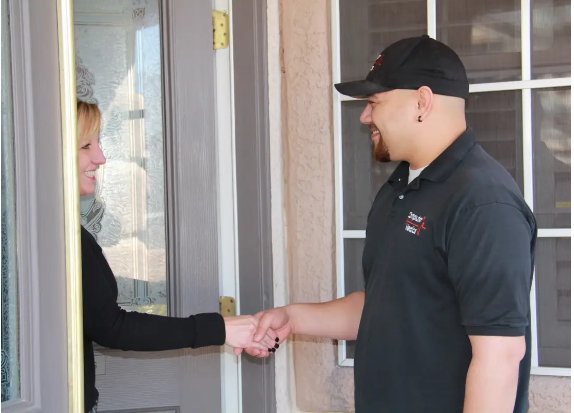
Your device suddenly stops responding, files vanish, or your system crashes without warning; it is easy to panic. But in moments like these, staying calm truly matters.
Quick, level-headed decisions prevent further damage and increase your chances of successful data recovery in Las Vegas with minimal loss.
Now that you have taken a breath, let’s move into the first practical step we recommend.
Before We Touch Anything, Let’s Learn What Really Broke
When your data disappears, the biggest mistake is rushing into fixes that make things worse.
At Computer Medics, we always start with a smart, damage-free diagnosis to understand what truly went wrong.
This step saves you hours of recovery time, prevents system failures, and often protects your irreplaceable personal or business files.
Here is how you can break it down with simple checks, no tools, and no stress:
- Start With the Symptoms
These initial observations give you the first big clues.
- Did the device shut down abruptly? Sudden power loss can corrupt your drive instantly.
- Is the system rebooting nonstop? This usually signals file system issues or boot sector damage.
- Do you hear clicking, grinding, or buzzing? This might indicate physical hard drive failure—in this case, stop using your device immediately.
According to a Backblaze hard drive report, “1.41 percent of hard drives fail annually.” That may sound small, but when it happens to you, it is 100 percent, making data recovery in Las Vegas challenging for you.
- Avoid DIY Fixes (They Do More Harm Than Good)
Most users lose more data during self-repair than during the crash itself.
- Restarting repeatedly can overwrite your device’s recoverable sectors.
- Online registry cleaners usually create irreversible corruption.
- Opening the device voids your warranties and accelerates internal damage.
A study by Ontrack found that “most DIY recovery attempts worsen data loss.” That is why our on-site technicians stay laser-focused on controlled, non-destructive diagnosis with service for data recovery in Las Vegas.
- Quick At-Home Checks Before We Arrive
These safe steps help us recover faster when we reach your location in Las Vegas, Henderson, Summerlin, Green Valley, or Seven Hills.
- Unplug the device and let it cool if it overheated.
- Test another charger or power adapter to rule out energy-flow issues.
- Try a different USB port, outlet, or cable to eliminate connection faults.
- Listen carefully—noises tell you whether the failure is logical or physical.
- Keep the device completely powered off if files are critically important.
Our 27 years of experience have taught us that the smallest detail you notice can help us recover days’ worth of data in minutes.
- When You Should Call Us Immediately
Reach out to Computer Medics right away if:
- The device makes clicking sounds.
- Your files disappear after an update or shutdown.
- You spilled liquid on your system.
- The computer shows boot-looping or “Operating System Not Found” errors.
- Your business data, client files, or financial records are at risk.
As a fully onsite, locally owned team with a five-star rating, we specialize in quick-arrival data rescue across Southern Nevada—no shop visits, no delays.
- What Our Team Does During Diagnosis
When we arrive, our process is structured but fast:
- We check the drive’s SMART health status.
- We isolate software vs. hardware failures.
- We test recovery paths without overwriting sectors.
- We secure critical files first, then attempt full-system restoration.
- We identify whether network issues, viruses, or boot errors contributed.
Our ability to spot early signs before the system worsens is why so many homeowners and local businesses trust our on-site data recovery services in Las Vegas.
And once we know exactly what went wrong, the next step is choosing the safest, fastest recovery path available to you.
Choose Your Recovery Path Without Guesswork or Panic
When the crash happens, most people immediately Google every option they can think of. But not all recovery paths are equal, and each comes with very real tradeoffs.
At Computer Medics, we help homeowners and businesses understand what makes sense—financially, technically, and practically—before taking the next step.
And because data recovery in Las Vegas can vary widely in cost, clarity matters from the start.
Here is how the three most common choices compare:
- Onsite Recovery (Fast, Affordable, and Safe for Most Users)
Is the sweet spot for most of our local cases we see across Las Vegas, Henderson, Summerlin, Green Valley, and Seven Hills.
- We come directly to your location; hence, no shop visits, no shipping risks.
- Ideal for logical failures, boot errors, accidental deletion, and external drive issues.
- Costs are lower because you are not paying for lab equipment or overnight holding.
- Recovery is usually the same day, especially when damage has not progressed.
- Lab Recovery (For Mechanical, Fire, or Liquid Damage)
When the drive has internal hardware damage, a cleanroom is mandatory.
- Mechanical failures often lead to drive losses.
- Cost can be 5 to 10 times higher than on-site solutions.
- Timelines vary from 4 to 14 days depending on severity.
- Best option when you hear clicking, buzzing, or grinding or smell electrical burning.
We help our clients assess whether lab recovery is genuinely necessary before they overspend.
- DIY Recovery (Risky, Unpredictable, and Often More Expensive Later)
Many users try downloadable tools or repeated restarts.
- Can overwrite recoverable sectors.
- Free software often bundles viruses or registry tampering tools.
- Physical damage worsens quickly with improper handling.
- Often multiplies the final recovery cost because we must undo prior errors first.
DIY is tempting, but as a locally owned team for data recovery in Las Vegas with 27 years in the field, we have seen it turn simple recoveries into near impossible ones.
- How We Help You Decide
At Computer Medics, we evaluate the symptoms, risk level, and urgency, then recommend the fastest and safest path. our goal is simple: avoid overcharging, avoid delay, and protect your data like it is our own.
FAQs—Answers Before You Stress Further
FAQ 1. How Much Does Data Recovery Usually Cost?
Answer: Onsite recovery is typically the most affordable path and we provide a clear estimate before touching your system.
FAQ 2. How Long Will the Recovery Take?
Answer: Most onsite recoveries are completed the same day unless the drive shows progressing physical damage.
FAQ 3. Is My Data Guaranteed to Come Back?
Answer: No provider can guarantee this, but our structured, non-destructive process gives you the highest possible chance.
FAQ 4. Should I Keep Using My Device After a Crash?
Answer: No. Continuing to use it, especially if it clicks or reboots, reduces recovery success significantly.
FAQ 5. When Should I Choose Lab Recovery Instead of Onsite?
Answer: If the drive is physically damaged, has liquid exposure, or emits unusual sounds, cleanroom recovery may be required.
With your options now clear, it is time to look at how we secure your data once you have chosen a recovery path.
Your Data Isn’t Gone, Just Waiting For the Right Move
At Computer Medics, we always remind our clients that data recovery in Las Vegas depends heavily on how quickly and calmly the next steps are taken.
First act first—stop using the device and avoid restarts. Then document everything you noticed: error messages, sounds, and actions before the crash. Finally, choose the recovery path that protects your data, not one that gambles with it.
With our on-site service model, decades of experience, and guided approach, we help you navigate data recovery in Las Vegas with confidence.
If you are ready to secure your files, contact us today to get started with professional data recovery in Las Vegas.